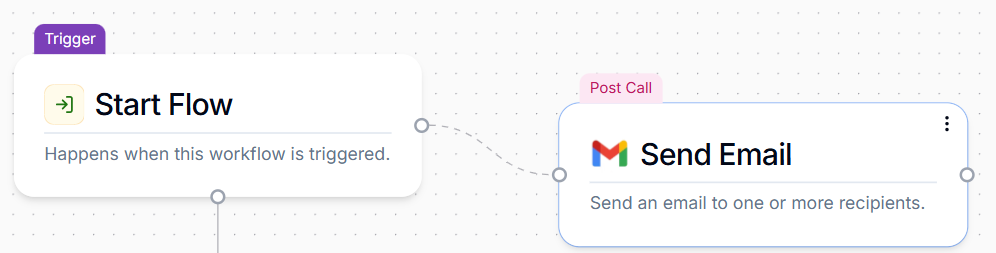
What are Post Call Actions?
Post Call Actions are actions that are taken after a phone conversation is complete, and are extremely valuable for automating follow-ups, capturing comprehensive call data, and integrating with other systems without interrupting the live conversation.Key Features and Purpose
Trigger After Call: The core function of a post call Action is to activate after the call has ended or reached a specific termination point in the workflow. Access to Rich Call Data: Post call actions have access to a broader set of variables generated throughout the entire conversation, including:- AI-generated summary of the call
- Full call transcript
- The call’s URL (link to the recording in your Phonely dashboard)
- Analytics data (e.g., AI success rate, topics discussed)
- All variables stored from any blocks within the conversation.
How to Set Up a Post Call Action
Adding a Post Call Action to your workflow is straightforward:Click the Plus Button:
Click the + button that appears to the right-hand side of any block in your call flow.
Select Action
A menu will pop up with a series of pre-built Post Call Action blocks (e.g., “Send Email,” “Send Text Message,” “Zapier”). Select the desired action.