
- Filter
- API request
- Code
- Webhook
Setup
Pre-Call Actions can only be added above the Start Flow, which is the block that runs first when a call is answered. To add a Pre-Call End Call action:Set the Start Flow
Open your Flow Editor and select the block that should run first when a call is received.In the settings panel on the right, enable Set as First Flow. Once this is enabled, the Add a pre-call action option appears above the Start Flow.
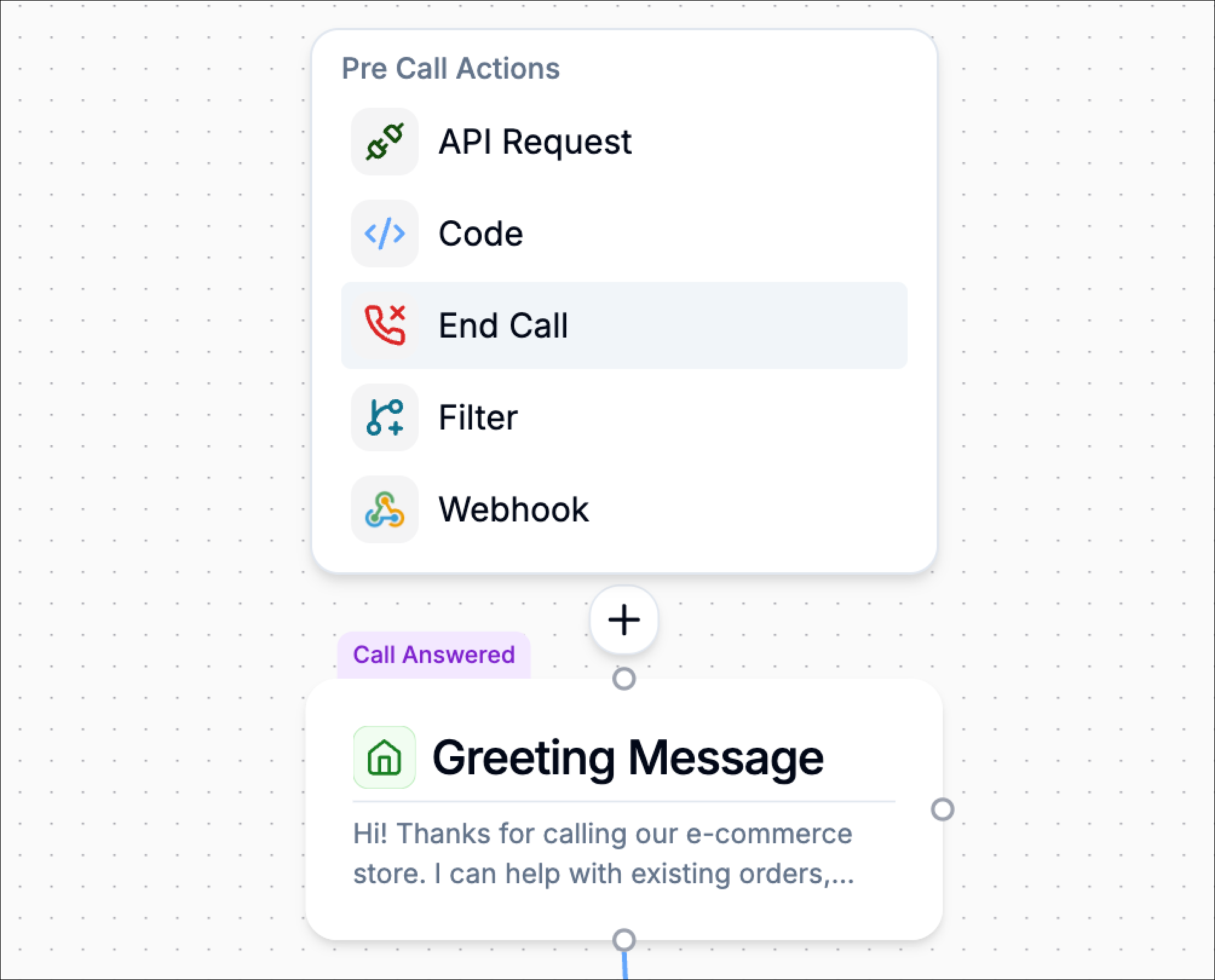
Select End Call
From the list of available Pre-Call Actions, choose End Call. The End Call configuration panel opens.
Configuring the End Call Action
The end call action is simple to configure. Its main purpose is to define the message the caller should hear before the call is ended.The configuration includes:
- End Call Message
- Call Outcome Tagging
End Call Message
The End Call Message is the message Phonely plays immediately before the call ends.This should clearly explain that the call cannot continue.Example:Unfortunately we cannot answer your call right now. Thanks for calling. Goodbye!This message should be short, clear, and polite.Because the call ends immediately afterward, avoid long explanations or instructions that require follow-up questions from the caller.
Call Outcome Tagging
Use Call Outcome Tagging to assign an outcome label when the call is ended at this step.You can select an existing outcome or type a custom one.This is useful for reporting because it helps you track why calls were ended before the conversation began.Example outcome tags:blocked_callerverification_failedineligible_callerservice_unavailable
Example Use Cases
Use a pre-call end call action when the call should be stopped before the AI agent starts the main conversation. Common examples include:Eligibility Failure
A previous Pre-Call check determines the caller is not allowed to continue. Example:- caller is not verified
- subscription is inactive
- required customer record was not found
Spam or Risk Screening
A caller is flagged as suspicious or blocked. Example:- spam score is too high
- blocked caller tag exists
- risk flag is true
Unsupported Callers
The caller does not meet service or region requirements. Example:- unsupported country
- unsupported phone number type
- unsupported account category
Temporary Service Restrictions
The call cannot be handled at that time. Example:- service temporarily unavailable
- maintenance window
- pre-call screening requires the call to stop