

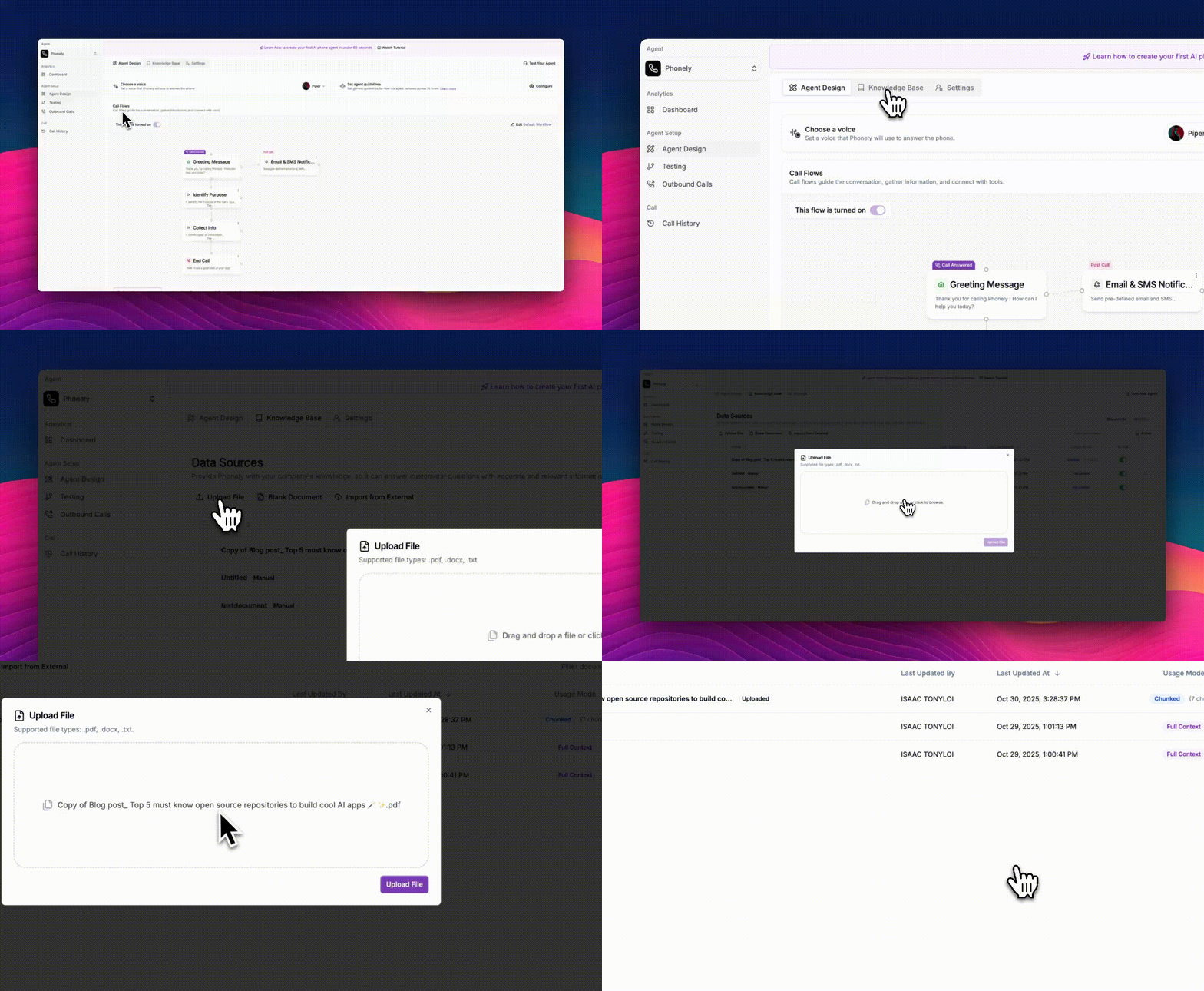
Navigate to the Knowledge Base Section
From the left sidebar, go to Agent Design > Knowledge Base, then switch to the Knowledge Base tab. Here, you’ll find different options under Data Sources, including Upload File, Blank Document, and Import from External.
Click “Upload File”
At the top of the page, click Upload File. A file upload window will appear, showing supported formats.
Supported file types:.docx,.txt
Add Your File
Drag and drop your document into the upload area or click to browse your local files.
Once the files is selected, click Upload File.
Once the files is selected, click Upload File.