

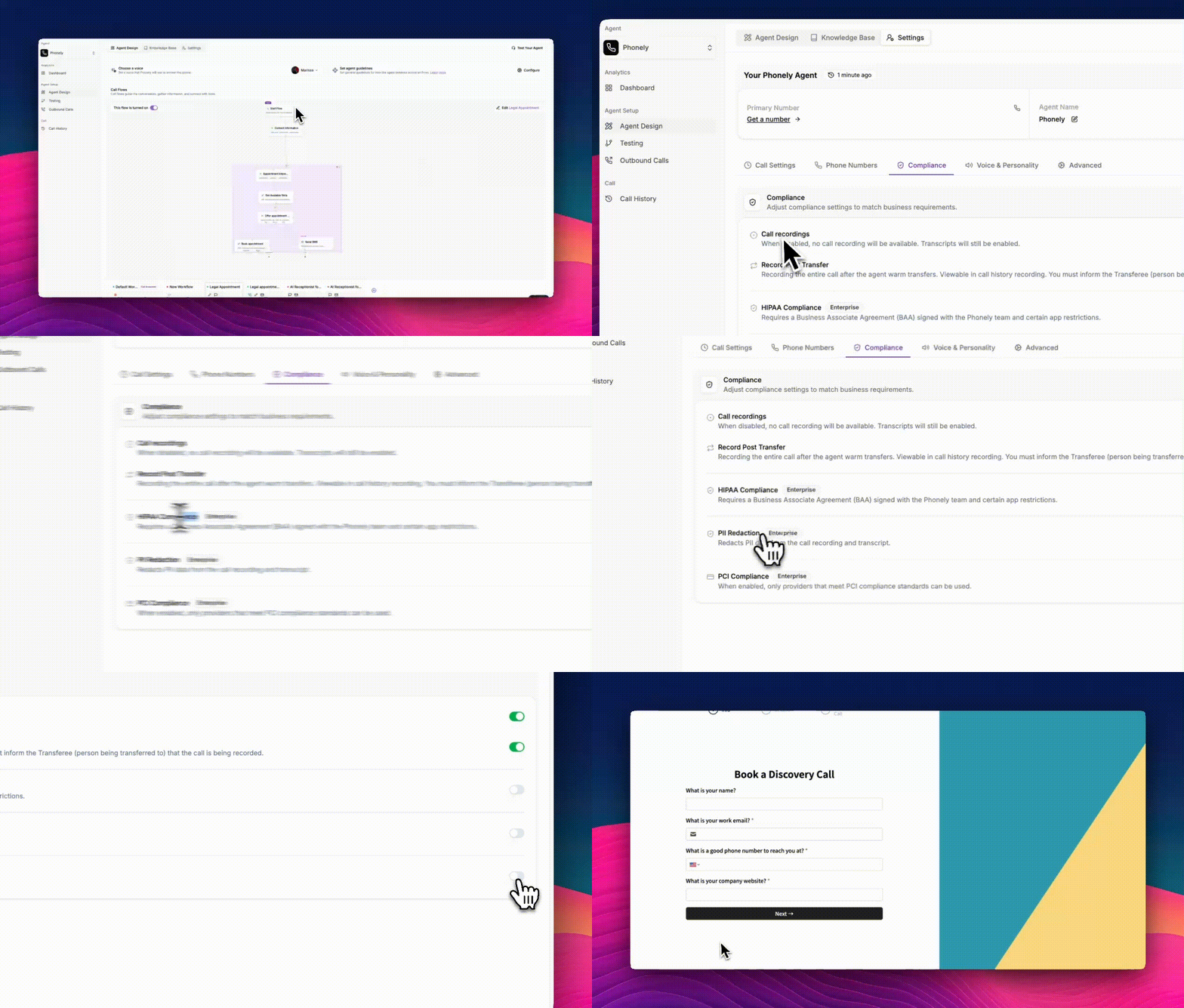
Skip to main contentPhonely’s Compliance section helps your organization meet legal, regulatory, and internal policy requirements when handling customer calls. The settings are designed to give you full control over recordings, data handling, and privacy - especially important for businesses operating in regulated industries such as healthcare, finance, or customer support.
-
Go to Agent Design > Settings from the left sidebar.
-
Click the Compliance tab.
-
Each option can be enabled or disabled depending on your operational needs.
Call Recordings
This setting determines whether Phonely records calls made or received by your agent.
- When enabled: Full audio recordings are captured and stored securely.
- When disabled: Calls are not recorded, but transcripts will still be generated using Phonely’s speech-to-text engine.
- This is useful for organizations that want conversational insight without retaining audio files.
Use this setting to comply with jurisdictions that require explicit consent for call recording.
Record Post Transfer
This option controls recording behavior after a warm transfer occurs.
- When enabled, Phonely continues recording the remainder of the call after your agent transfers the caller to a human.
- The recorded segment appears in the call history next to the original Phonely call.
- You must inform the transfer recipient that the call is being recorded, as required by many compliance laws.
This is particularly valuable in workflows where human agents take over at some stage.
HIPAA Compliance (Enterprise)
For healthcare organizations or any business that handles protected health information (PHI), HIPAA mode ensures Phonely behaves in a compliant manner.
- Requires a Business Associate Agreement (BAA) signed with Phonely.
- Enabling HIPAA mode may apply additional restrictions on integrations, data storage, and agent behavior.
Enable this only if your operations require HIPAA-grade protections.
PII Redaction (Enterprise)
Personally Identifiable Information (PII) Redaction removes sensitive details from both:
- call recordings
- call transcripts
Phonely automatically detects and redacts data such as names, emails, credit card numbers, SSNs, or addresses.
This feature is designed to prevent exposure of sensitive data, support GDPR/CCPA obligations, and reduce risk during audits or data reviews.
PCI Compliance (Enterprise)
If your business processes payments over the phone, PCI Compliance mode ensures that only providers that meet PCI compliance standards can be used. Enabling PCI ensures your system aligns with global standards for handling cardholder data.