

Why Auto-Gather Variables Are Useful
Traditionally, collecting a variable required a Talk Block:- Ask the caller a question
- Define the variable inside that Talk Block
- Validate and confirm it
- Use it later in your flow
- You need many variables
- You want to gather them only at specific points
- Your flow changes over time
- You want fewer blocks and cleaner logic
Creating an Auto-Gather Variable
You can create an Auto-Gather variable from inside any block that supports it. For example: inside API Request, Payment, Calendar, Email, and more.How to Create One
- Open any block (e.g., API Request or Payment).
- Click on any of the fields where you want to collect and add the variable.
- This should open the Variables panel. Click and expand the Auto-gather variables section.
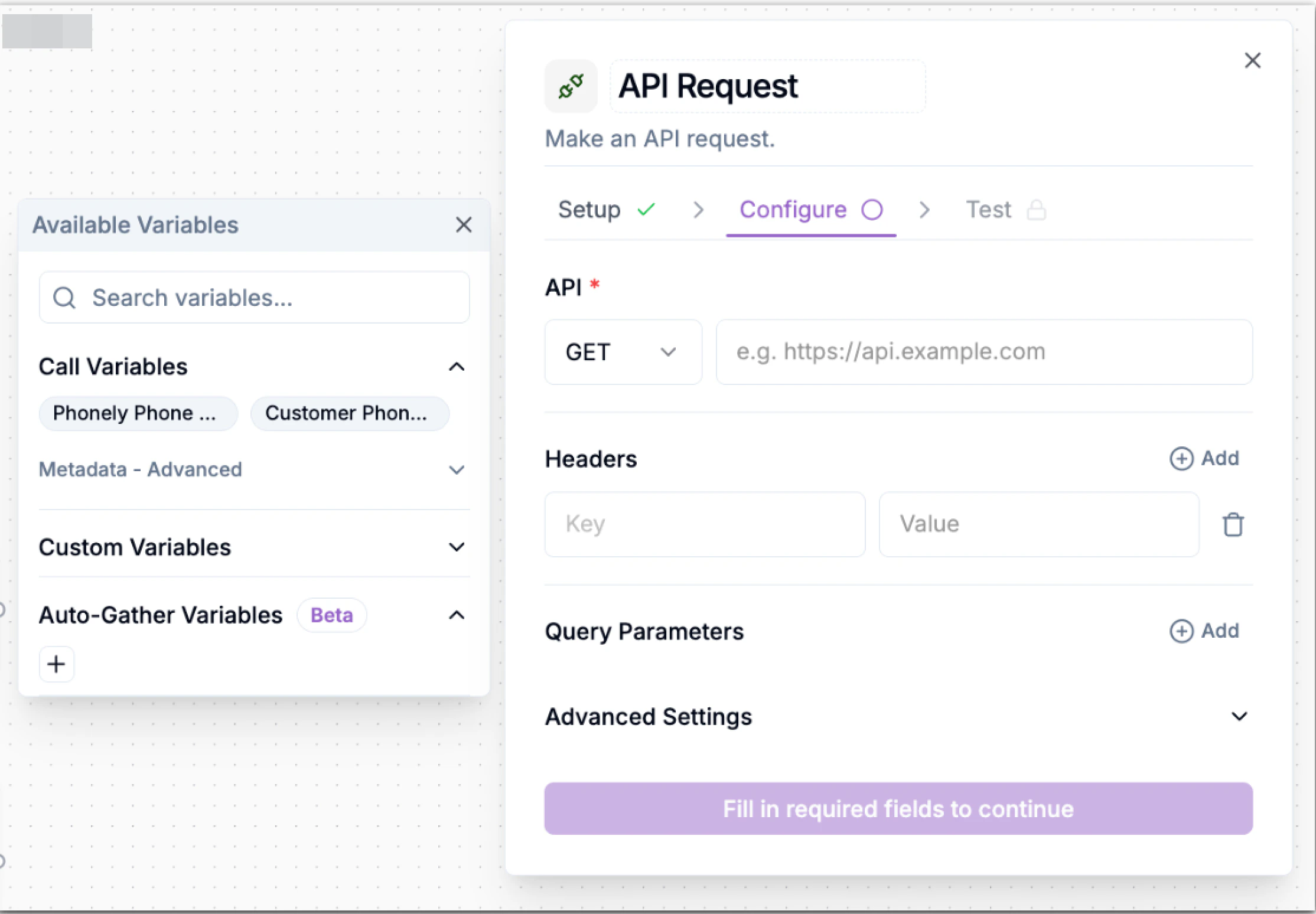
- Click + to auto-gather a new variable.
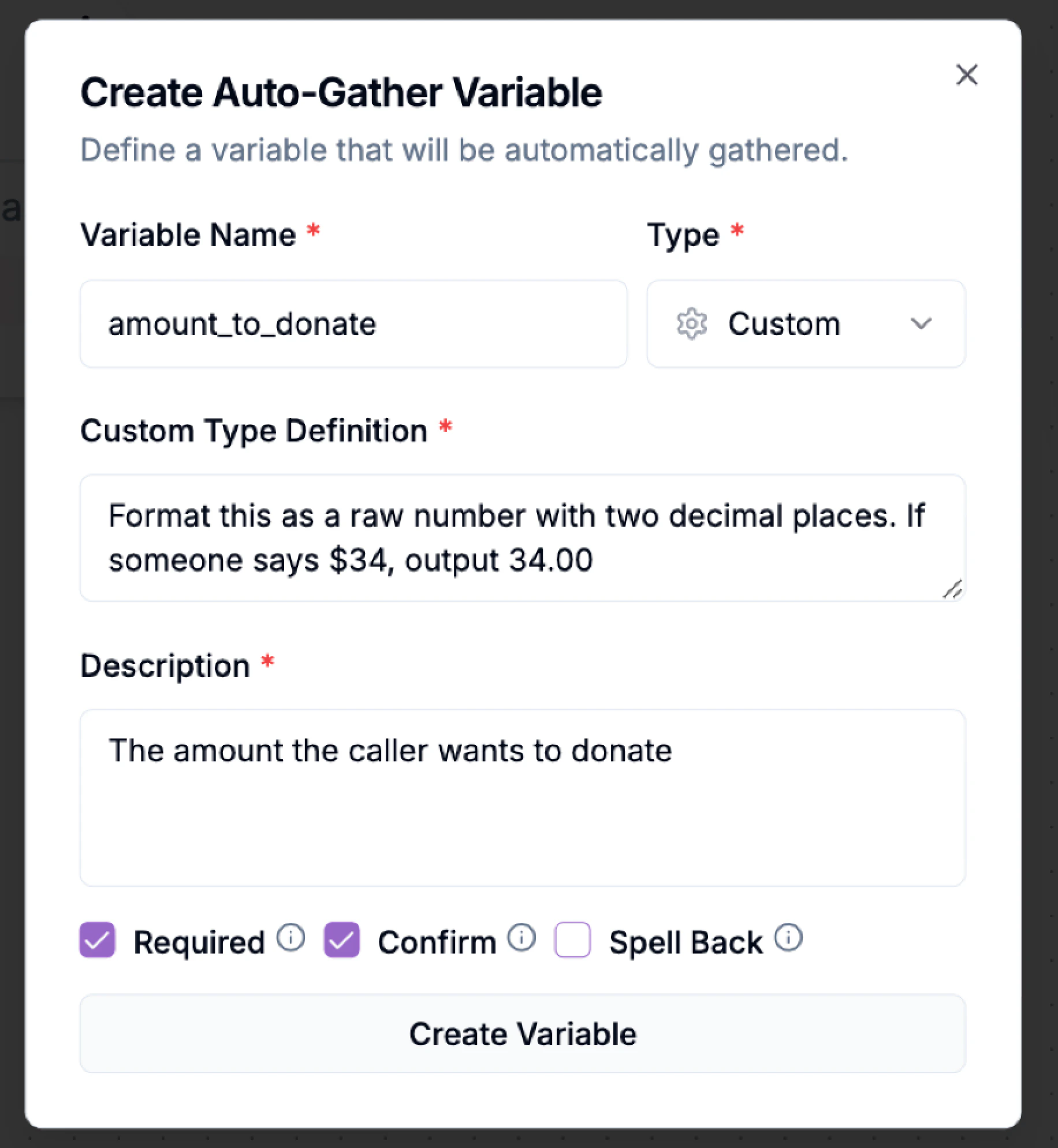
- Fill in the required fields. These help your workflow understand exactly what to capture.
Validation Options
Depending on the type, you may see:- Required – forces the agent to collect the value before continuing
- Confirm – agent asks: “You said 34 dollars, correct?”
- Spell Back – useful for names, emails, or IDs
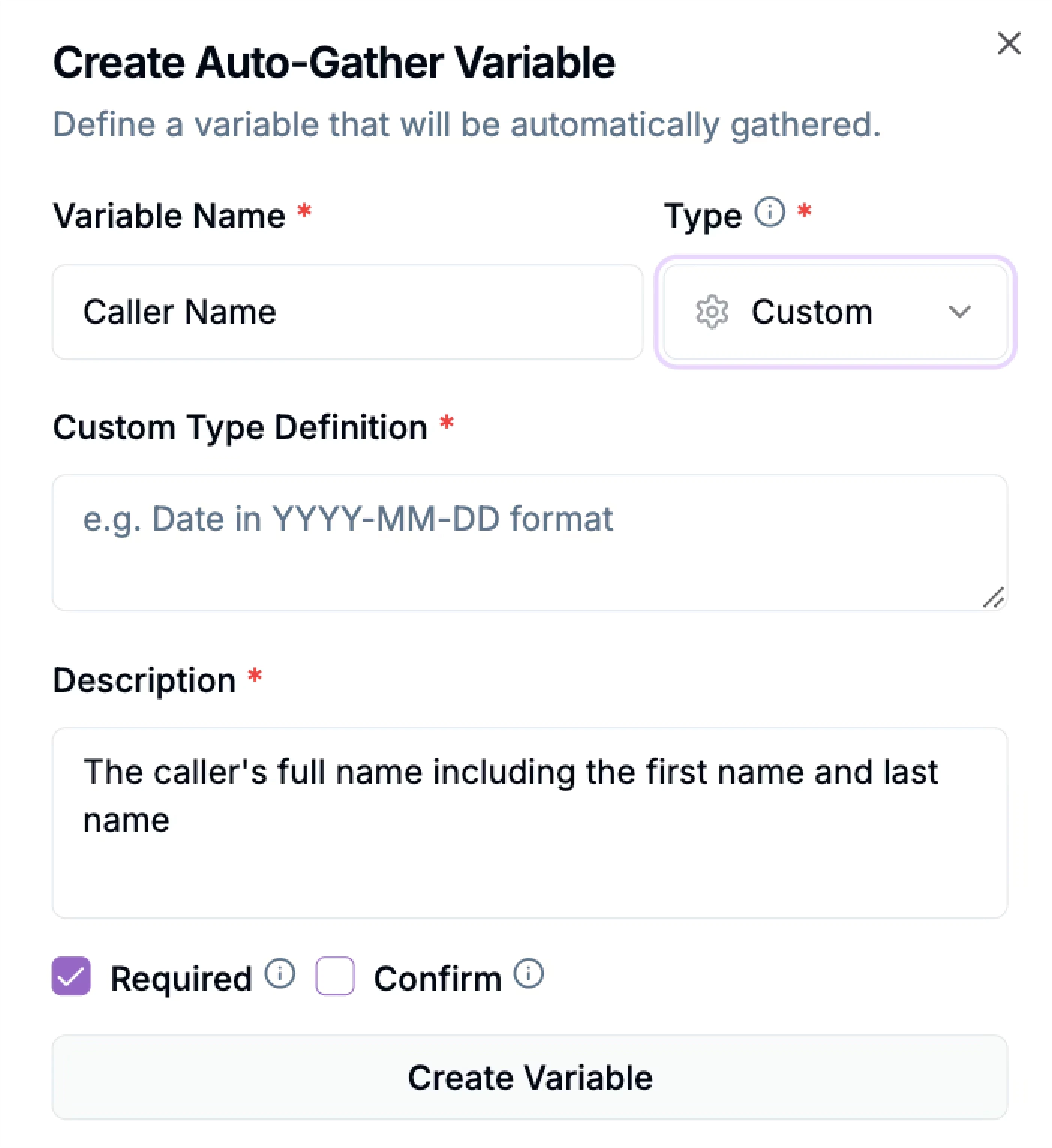
Custom Type Definition
Custom types let you define a format using natural language, for example:“Format this as a raw number with two decimal places. If someone says $34, output 34.00.”This ensures the agent outputs values exactly the way your system expects them, without extra logic or multiple retries. Great for:
- Currency formatting
- Standardized dates (ISO format)
- Phone numbers
- IDs
- Special codes
Auto-Gather in Example: Payment Block
Imagine you want to collect the payment amount from a caller. Instead of Adding a talk block, asking for the amount, validating the format manually, and passing it to the payment block.You simply
- Open Payment Block.
- Click + Auto-Gather Variable.
- Enter the following details:
- Asks for the payment amount right before the block runs
- Formats it correctly
- Confirms the value
- Passes it to the payment processor