> ## Documentation Index
> Fetch the complete documentation index at: https://docs.phonely.ai/llms.txt
> Use this file to discover all available pages before exploring further.
# Plan your Phonely agent
> Learn how we build agents that scale to millions of calls a month.
For businesses who answer over 2,000 calls per month, we provide white-glove onboarding and agent build-out!
[Talk to our team →](https://forms.phonely.ai/t/hoGHsk9hDzus)
 ## Save yourself hours in a few minutes
Before we jump into what to do lets set expectations.
1. AI can't solve your problems, but you + AI can. Phonely can only do what it knows how to do. If it doesn't know what you want from it, it can't do it
2. Getting your agent live takes minutes. Getting your agent to be your best employee **will take time**. Expect to spend 1-4 weeks working on iterations, and testing.
3. Expect the same outcomes from an AI agent. DON'T expect the same interactions. Phonely isn't a human, while we do everything in our power to make it be one, it will struggle with things humans get right, but it will be great at other things humans are bad at.
> *Phonely gets stacked up against call centers all the time. Almost always we're able to match or outperform their human agent's performance at 70% cost reduction.*
## So how do we make AI agents that can truly handle 100% of calls?
Just like a person, your agent needs to be trained. You can do this by configuring the agent design page in Phonely's dashboard to include all of the information about your business, software, etc. to build your agent. This knowledge base contains all of the information on how to do this, but first we still need a blueprint.
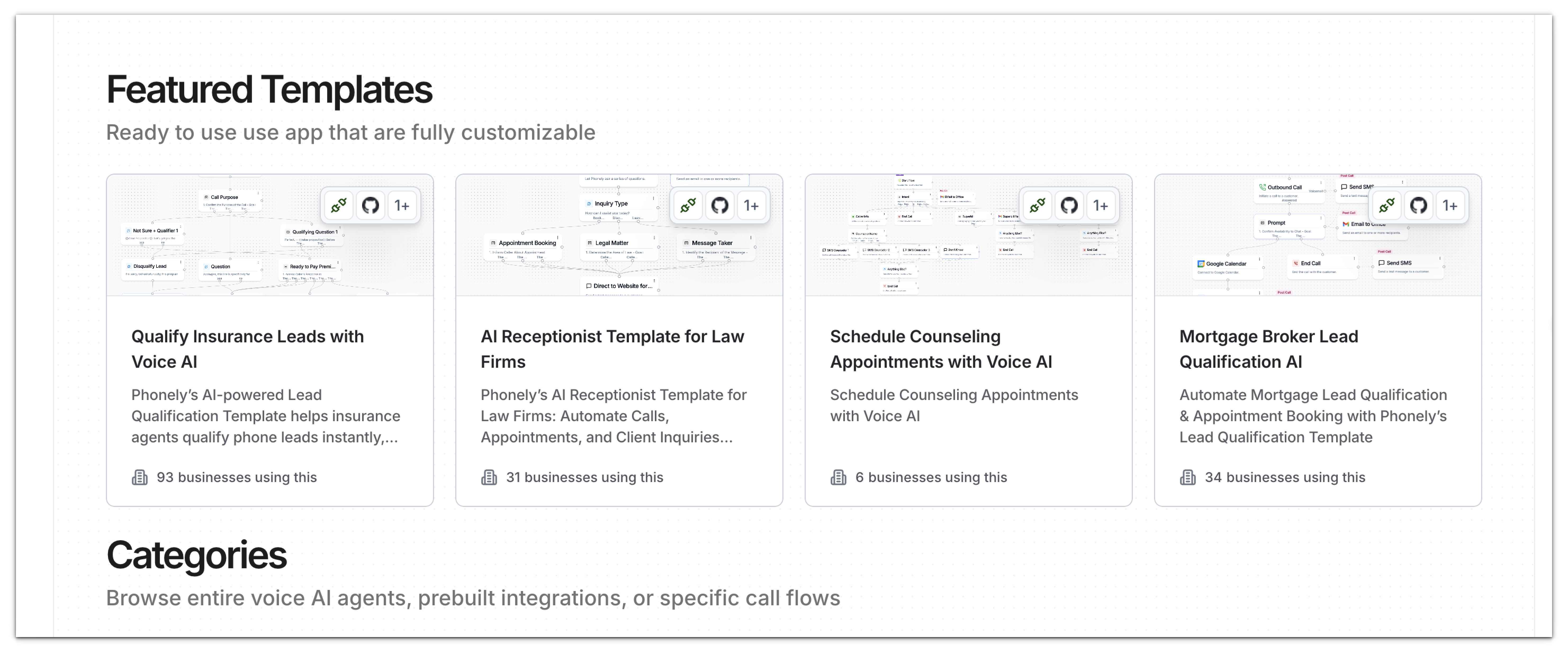
Fortunately, with Phonely's templates, we have taken a lot of the legwork out, and have probably built an AI agent for your use case that should need just a few minutes of tweaking! Check out the templates [here](https://phonely.ai/templates)
## Save yourself hours in a few minutes
Before we jump into what to do lets set expectations.
1. AI can't solve your problems, but you + AI can. Phonely can only do what it knows how to do. If it doesn't know what you want from it, it can't do it
2. Getting your agent live takes minutes. Getting your agent to be your best employee **will take time**. Expect to spend 1-4 weeks working on iterations, and testing.
3. Expect the same outcomes from an AI agent. DON'T expect the same interactions. Phonely isn't a human, while we do everything in our power to make it be one, it will struggle with things humans get right, but it will be great at other things humans are bad at.
> *Phonely gets stacked up against call centers all the time. Almost always we're able to match or outperform their human agent's performance at 70% cost reduction.*
## So how do we make AI agents that can truly handle 100% of calls?
Just like a person, your agent needs to be trained. You can do this by configuring the agent design page in Phonely's dashboard to include all of the information about your business, software, etc. to build your agent. This knowledge base contains all of the information on how to do this, but first we still need a blueprint.
Fortunately, with Phonely's templates, we have taken a lot of the legwork out, and have probably built an AI agent for your use case that should need just a few minutes of tweaking! Check out the templates [here](https://phonely.ai/templates)
 Even if you're using a template, the following is a helpful exercise to go through to help you build your agent:
**Define your 80% use case**
> “If you can’t define a problem clearly, you can’t solve it effectively.”\
> — *Albert Einstein*
Think about what **80% of your calls** are about, usually 1–3 key reasons (like appointment scheduling or rescheduling).\
Write down the **questions** your staff ask and the **steps** they take to complete the task.
**Think about your software**
Oftentimes, having the AI integrate with your software is a crucial step of the process. When you're doing this, write down which software you need it to integrate live (during the call) and which software you need after.
This includes SMS messages, emails, etc., that need to be sent. Using Mural from above will help map this out.
Pro Tip:
If Phonely doesn’t already connect to your software, no problem.
You can import any integration from a cURL request using the [API Request block](/blocks/live-call-actions/api-request).
**Gather your knowledge base**
Phonely will integrate with a knowledge base to answer FAQ's via an inbuilt knowledge base. To do this, you need to have a knowledge base handy. If you don't have one premade, you can type your own or connect a website.
If you connect a website, it is handy to remove the unnecessary pages to prevent the AI from grabbing information that isn't relevant
**Think about your call forwarding**
To get your AI actually answering your calls you have to either forward your existing phone line to a Phonely number, port your number to Phonely, or give your customers Phonely's number. In virtually all carriers there are settings for this, and the easiest way to find out is to google "how to forward numbers on xyz provider".
**Start simple, nail one use case and scale from there.**
Oftentimes we see customers come with us wanting everything to be handled right away. Barring enterprise customers, this almost always ends up being a ton of work. To prevent this, we recommend trying to nail one use case, and set up call transferring or, a generic message taking for other use cases. This lets you get comfortable building out one workflow and you can scale incrementally over time.
## Next Steps
Start with one of our pre-built voice agent templates designed for industries like healthcare, real estate, or insurance.\
[Browse templates →](https://phonely.ai/templates)
Adjust prompts, voices, and routing in the Flow Builder.\
Test and refine until your AI handles the majority of your use cases.
Forward your calls to Phonely, monitor the analytics, and iterate on performance.
***
## Common Questions
Nope. Phonely’s Flow Builder lets you create production-ready voice agents with no code.\
AI-assisted block generation handles most of the logic for you.
Yes. You can connect Google Calendar, HubSpot, Salesforce, or any system that supports API calls directly from the Flow Builder.
Upload your FAQs or connect your website to populate the Knowledge Base.\
You can also update it anytime as your business evolves.
Phonely automatically escalates unclear calls via warm transfer or message capture, ensuring every lead or customer gets handled.
Even if you're using a template, the following is a helpful exercise to go through to help you build your agent:
**Define your 80% use case**
> “If you can’t define a problem clearly, you can’t solve it effectively.”\
> — *Albert Einstein*
Think about what **80% of your calls** are about, usually 1–3 key reasons (like appointment scheduling or rescheduling).\
Write down the **questions** your staff ask and the **steps** they take to complete the task.
**Think about your software**
Oftentimes, having the AI integrate with your software is a crucial step of the process. When you're doing this, write down which software you need it to integrate live (during the call) and which software you need after.
This includes SMS messages, emails, etc., that need to be sent. Using Mural from above will help map this out.
Pro Tip:
If Phonely doesn’t already connect to your software, no problem.
You can import any integration from a cURL request using the [API Request block](/blocks/live-call-actions/api-request).
**Gather your knowledge base**
Phonely will integrate with a knowledge base to answer FAQ's via an inbuilt knowledge base. To do this, you need to have a knowledge base handy. If you don't have one premade, you can type your own or connect a website.
If you connect a website, it is handy to remove the unnecessary pages to prevent the AI from grabbing information that isn't relevant
**Think about your call forwarding**
To get your AI actually answering your calls you have to either forward your existing phone line to a Phonely number, port your number to Phonely, or give your customers Phonely's number. In virtually all carriers there are settings for this, and the easiest way to find out is to google "how to forward numbers on xyz provider".
**Start simple, nail one use case and scale from there.**
Oftentimes we see customers come with us wanting everything to be handled right away. Barring enterprise customers, this almost always ends up being a ton of work. To prevent this, we recommend trying to nail one use case, and set up call transferring or, a generic message taking for other use cases. This lets you get comfortable building out one workflow and you can scale incrementally over time.
## Next Steps
Start with one of our pre-built voice agent templates designed for industries like healthcare, real estate, or insurance.\
[Browse templates →](https://phonely.ai/templates)
Adjust prompts, voices, and routing in the Flow Builder.\
Test and refine until your AI handles the majority of your use cases.
Forward your calls to Phonely, monitor the analytics, and iterate on performance.
***
## Common Questions
Nope. Phonely’s Flow Builder lets you create production-ready voice agents with no code.\
AI-assisted block generation handles most of the logic for you.
Yes. You can connect Google Calendar, HubSpot, Salesforce, or any system that supports API calls directly from the Flow Builder.
Upload your FAQs or connect your website to populate the Knowledge Base.\
You can also update it anytime as your business evolves.
Phonely automatically escalates unclear calls via warm transfer or message capture, ensuring every lead or customer gets handled.