> ## Documentation Index
> Fetch the complete documentation index at: https://docs.phonely.ai/llms.txt
> Use this file to discover all available pages before exploring further.
# Introduction
> Learn how your business can benefit from Phonely
## What is Phonely?
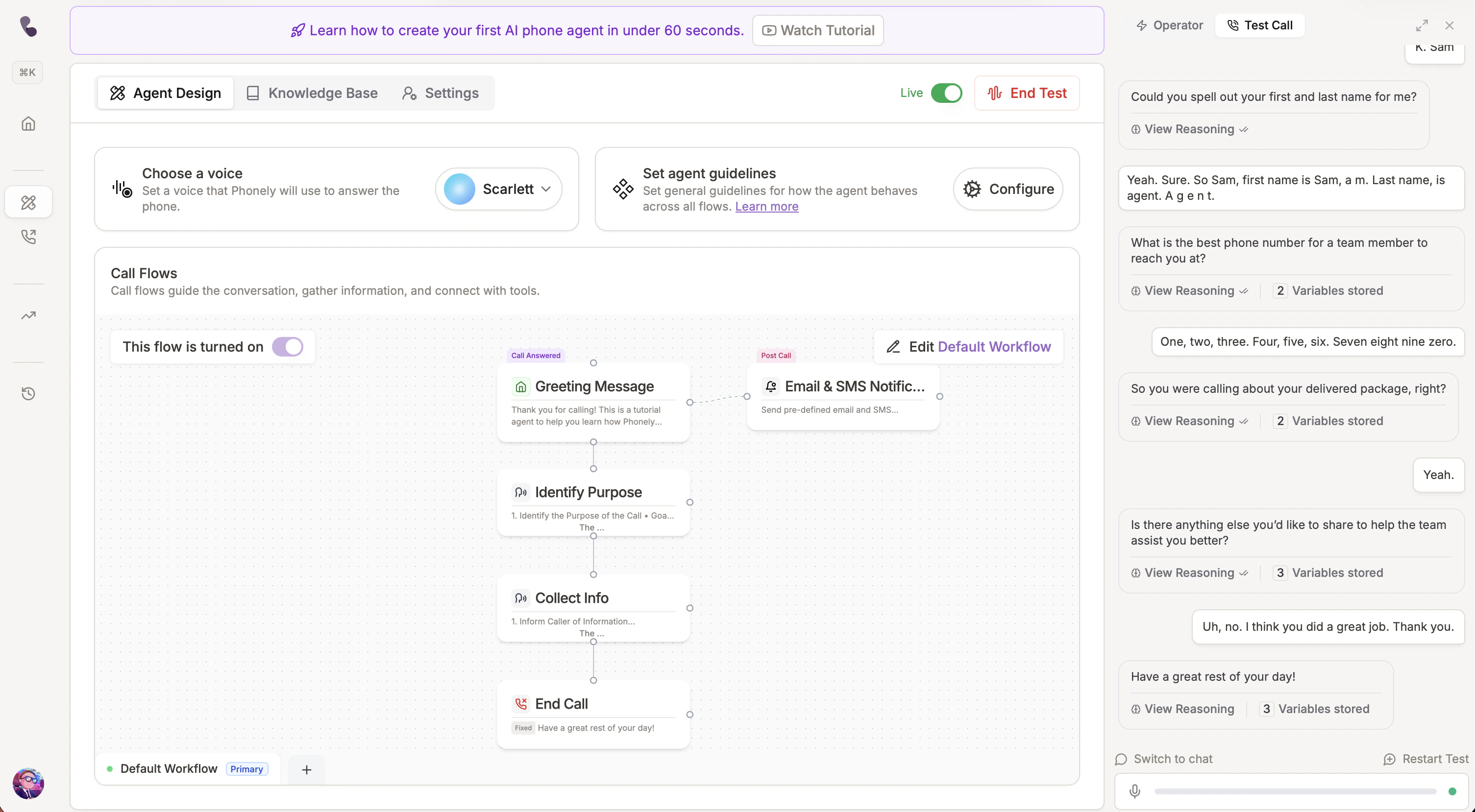 Phonely is a platform for building voice AI agents that handle phone calls. You design conversations visually, connect your tools, and deploy — no code required.
* Make and receive calls on Phonely numbers or your own carrier
* Route, schedule, and escalate to humans based on rules you define
* Connect to calendars, CRMs, and any REST API
* Track calls with analytics, A/B testing, and call path visualization
Want to jump right in? [Get started for free](https://phonely.ai).
## **Features you won't find anywhere else**
Phonely is a platform for building voice AI agents that handle phone calls. You design conversations visually, connect your tools, and deploy — no code required.
* Make and receive calls on Phonely numbers or your own carrier
* Route, schedule, and escalate to humans based on rules you define
* Connect to calendars, CRMs, and any REST API
* Track calls with analytics, A/B testing, and call path visualization
Want to jump right in? [Get started for free](https://phonely.ai).
## **Features you won't find anywhere else**
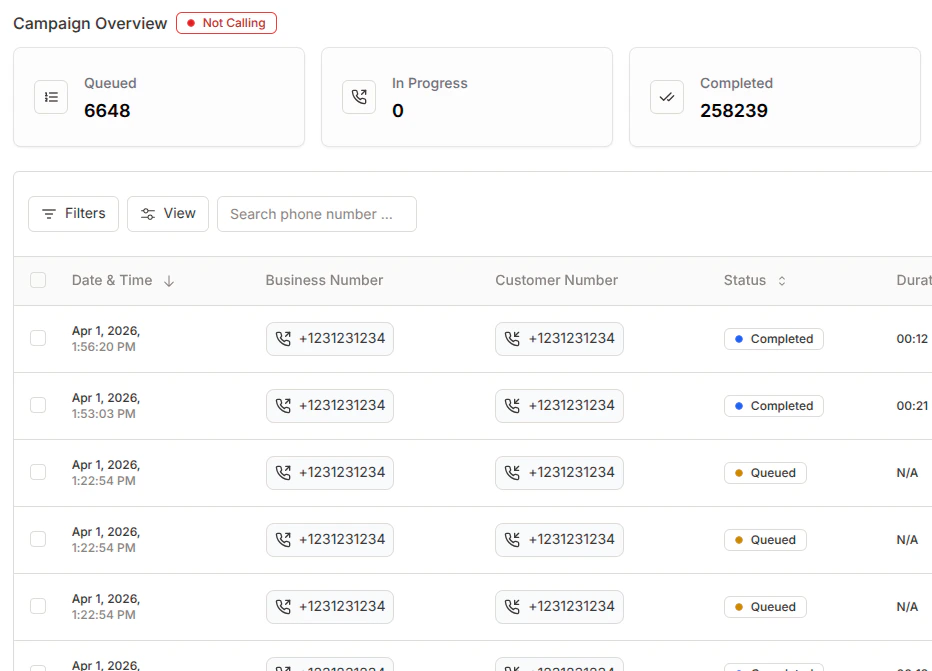 Automate reminders, follow-ups, and reactivation campaigns via CSV, Google Sheet, or API.
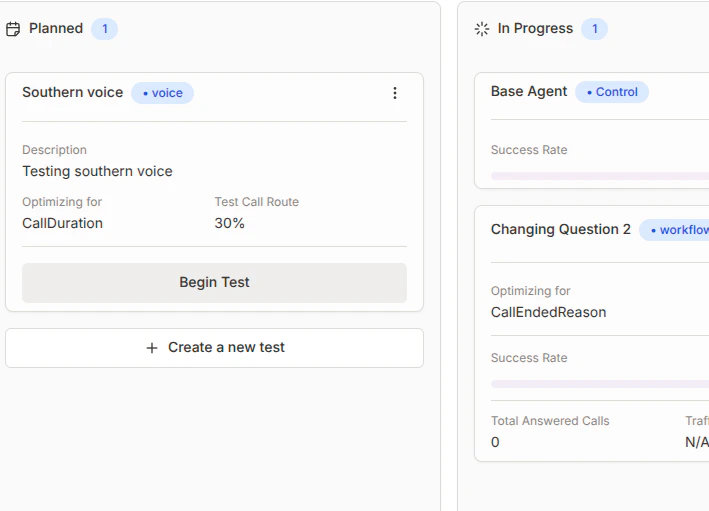 Test prompts, voices, and strategies then roll out winning variations in one click.
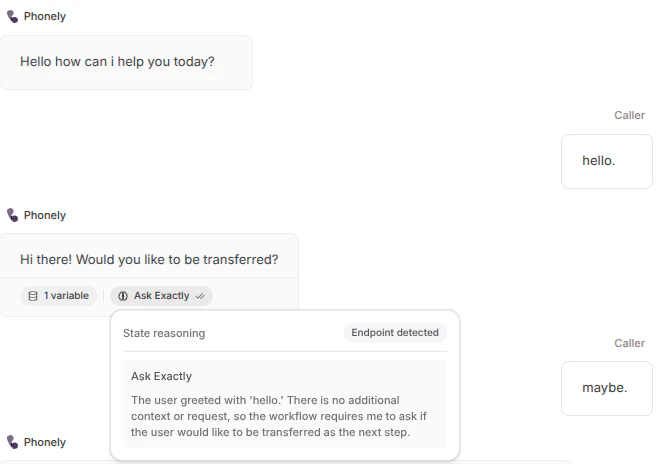 See why your AI made each decision in real time no added latency.
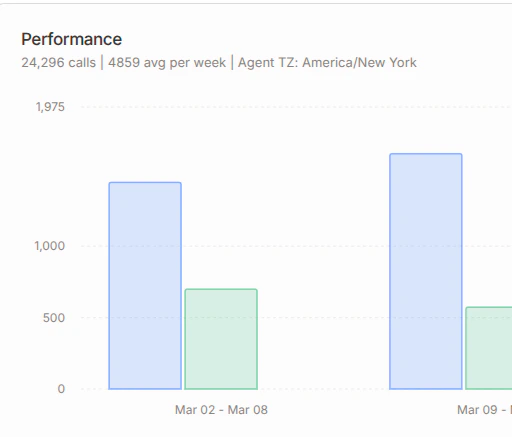 AI-powered summaries, sentiment tracking, topic clustering, and path analysis.
## Popular use cases
Handle customer calls automatically. Route to the right person when needed. Ideal for replacing or augmenting front-line agents.
Qualify leads 24/7 and warm-transfer to your sales team.
Book, reschedule, or cancel appointments automatically.\
Integrate with Google Calendar or your scheduling API
Re-engage customers with automated outbound campaigns. \
Send reminders, confirmations, or follow-ups with retry logic and voicemail detection built in.
## About Phonely
Built by a team of AI researchers and audio engineers in San Francisco. Backed by Y Combinator. [We're hiring.](https://www.ycombinator.com/companies/phonely/jobs)
AI-powered summaries, sentiment tracking, topic clustering, and path analysis.
## Popular use cases
Handle customer calls automatically. Route to the right person when needed. Ideal for replacing or augmenting front-line agents.
Qualify leads 24/7 and warm-transfer to your sales team.
Book, reschedule, or cancel appointments automatically.\
Integrate with Google Calendar or your scheduling API
Re-engage customers with automated outbound campaigns. \
Send reminders, confirmations, or follow-ups with retry logic and voicemail detection built in.
## About Phonely
Built by a team of AI researchers and audio engineers in San Francisco. Backed by Y Combinator. [We're hiring.](https://www.ycombinator.com/companies/phonely/jobs)
 Create your first voice agent in minutes.
## Frequently Asked Questions
No. The Flow Builder is fully no-code - drag-and-drop blocks with prompts.
For advanced use cases, you can use custom APIs, webhooks, and cURL imports.
Yes. Phonely connects to Google Calendar, HubSpot, Salesforce, Zapier, and any REST API.
If there’s no native integration, you can import any API from a cURL command using the [API Request block](/blocks/live-call-actions/api-request).
Upload your knowledge base (FAQs, SOPs, or website) and define your call flows. Each flow includes talk blocks, integrations, variables, and post-call actions. Ask AI can help generate prompts and connect APIs.
Yes. Upload a CSV, connect a Google Sheet, or use an API. Outbound campaigns include voicemail detection, retry logic, and DNC compliance tools. See [Outbound Campaigns](/outboundcalling/createaoutboundcallingcampaign).
Call summaries, sentiment analysis, topic clustering, A/B testing results, call path visualization, and performance metrics. See [Analytics](/call-history-ai-analytics/call-history-ai-analytics).
Yes. Configure voices for English, Spanish, French, and many others, including regional accents and custom voice cloning.
Yes. Data is encrypted in transit and at rest. See [Compliance Settings](/agent-design/compliance-settings) for details.
Create your first voice agent in minutes.
## Frequently Asked Questions
No. The Flow Builder is fully no-code - drag-and-drop blocks with prompts.
For advanced use cases, you can use custom APIs, webhooks, and cURL imports.
Yes. Phonely connects to Google Calendar, HubSpot, Salesforce, Zapier, and any REST API.
If there’s no native integration, you can import any API from a cURL command using the [API Request block](/blocks/live-call-actions/api-request).
Upload your knowledge base (FAQs, SOPs, or website) and define your call flows. Each flow includes talk blocks, integrations, variables, and post-call actions. Ask AI can help generate prompts and connect APIs.
Yes. Upload a CSV, connect a Google Sheet, or use an API. Outbound campaigns include voicemail detection, retry logic, and DNC compliance tools. See [Outbound Campaigns](/outboundcalling/createaoutboundcallingcampaign).
Call summaries, sentiment analysis, topic clustering, A/B testing results, call path visualization, and performance metrics. See [Analytics](/call-history-ai-analytics/call-history-ai-analytics).
Yes. Configure voices for English, Spanish, French, and many others, including regional accents and custom voice cloning.
Yes. Data is encrypted in transit and at rest. See [Compliance Settings](/agent-design/compliance-settings) for details.