> ## Documentation Index
> Fetch the complete documentation index at: https://docs.phonely.ai/llms.txt
> Use this file to discover all available pages before exploring further.
# End Call
> Gracefully terminate the call and perform any necessary cleanup actions
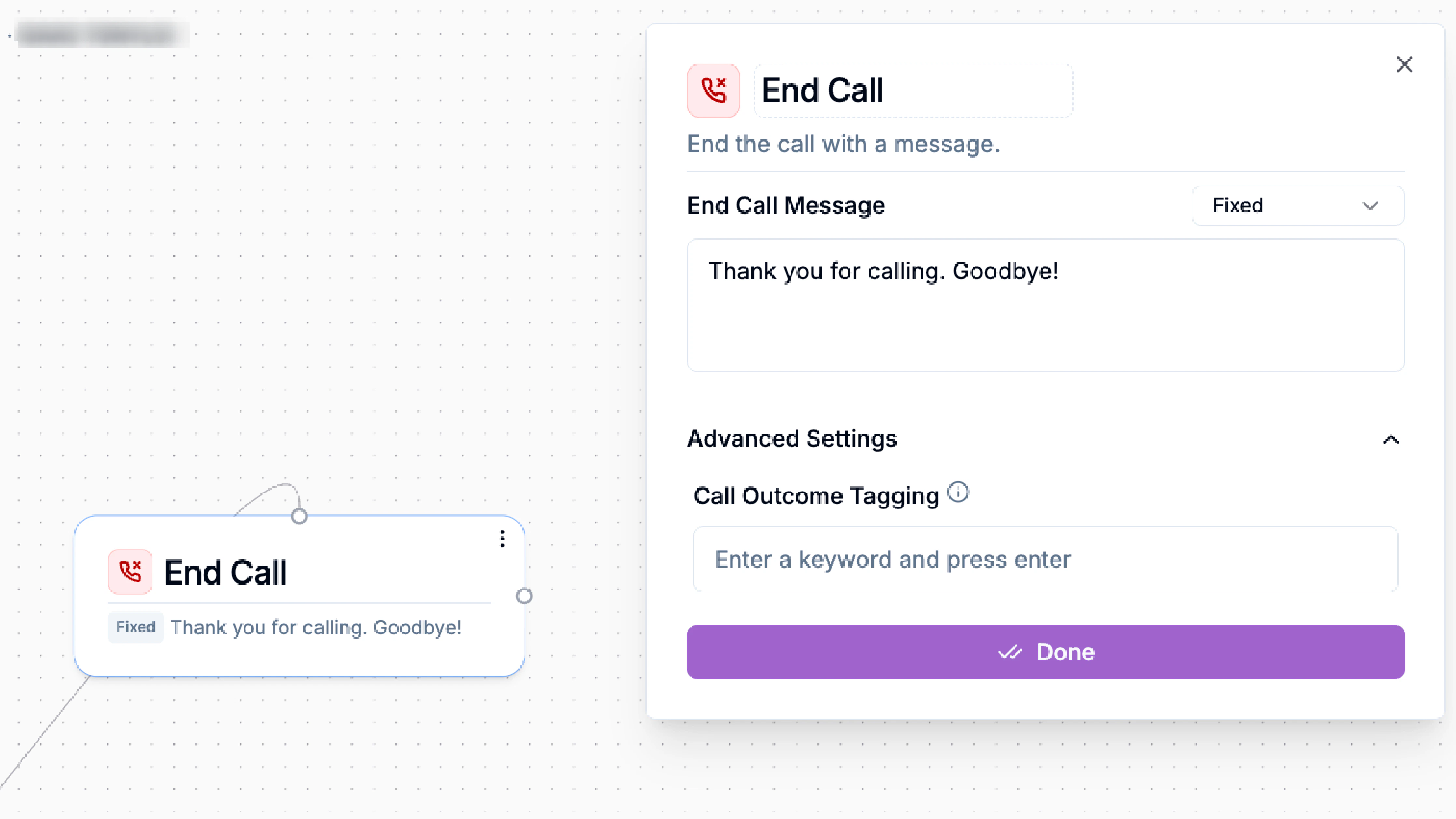
The end call block is used to gracefully close a call with the caller. It ensures the flow ends naturally, often with a polite goodbye message or closing statement. This block can also optionally send a follow-up SMS message or tag the call outcome for reporting and analytics.
It’s typically placed at the end of a call flow or at points where no further interaction is required (e.g., when the system finishes collecting or processing information).
## Key Purposes
* To end the conversation naturally with a final spoken message.
* To automatically generate or define a goodbye message using context.
* To trigger an SMS follow-up message that mirrors the call’s tone.
* To label and track call outcomes using tags for reporting or integration purposes.
* Call Summary: Generate comprehensive call summary.
* Outcome Tagging: Set custom outcome tags for analytics.
* Post-Call Actions: Trigger webhooks or data logging.
## When to Use the End Call Block
Use this block in scenarios such as:
* Wrapping up a completed interaction (e.g., after confirming an appointment or providing requested info).
* Ending failed or fallback paths (e.g., when no valid input is received).
* Closing flows after conditional routing, such as when eligibility or verification fails.
* Finishing conversations with a personalized or dynamic closing message.
## Configure an End Block
1. In your flow builder, click the **“+”** icon at the point where you want to end the conversation.
2. Under **Flow Actions**, select **End Call**.
3. The block will appear with a clear label and an icon representing a phone hang-up.
This message is the final thing your caller will hear before the call disconnects.
You can choose from two modes:
#### **Option 1: Promptable Message**
* Use AI to generate a goodbye message automatically based on conversation context.
* The model analyzes what has been said and creates a natural, polite closing line.
* Example prompt:
> *“Generate an appropriate goodbye message based on the conversation context to be spoken immediately before ending the call. The user will not say anything after you speak.”*
Best for adaptive flows where closing messages depend on the situation.
#### **Option 2: Fixed Message**
* Write your own static closing line.
* Example.
> “Thank you for calling. Have a great day!”
Best for consistent, predefined call closings.
This allows you to tag the call with **keywords** that describe its result (e.g., *completed*, *failed\_verification*, *voicemail*, *no\_response*).
**Example usage:**
* `completed`
* `lead_collected`
* `support_ticket_closed`
Helps filter or analyze call outcomes later in analytics dashboards.
Click **Done** once all required fields are filled.