> ## Documentation Index
> Fetch the complete documentation index at: https://docs.phonely.ai/llms.txt
> Use this file to discover all available pages before exploring further.
# External Sources
> Connect to external knowledge platforms like LivePro to seamlessly import existing documents and make them available for your AI agent.
You can connect Phonely to external platforms to automatically import your existing documentation and make it available for your AI agent. This is especially useful if your company already maintains a centralized knowledge base elsewhere, such as LivePro.
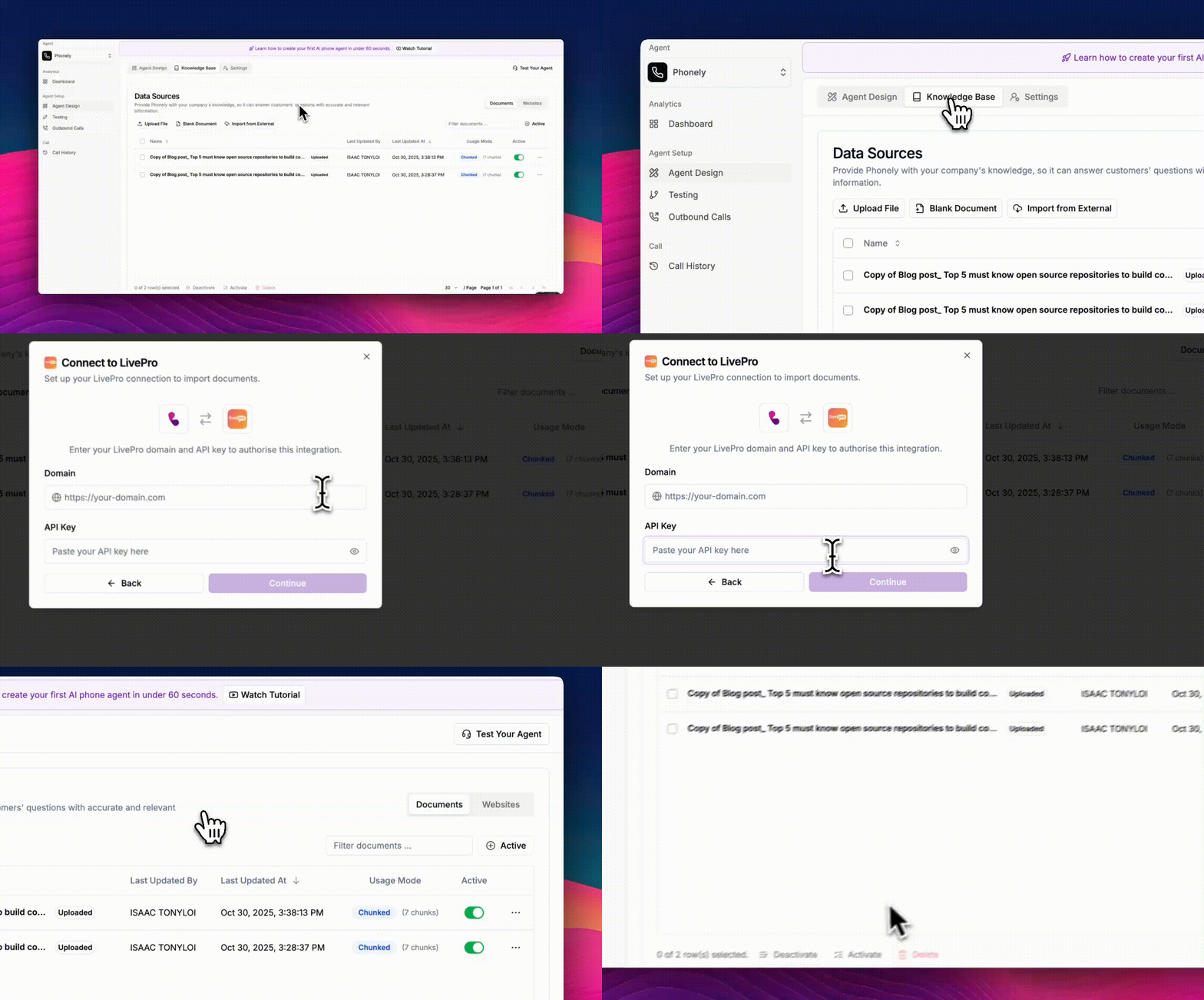 Here, you’ll see all your data sources, including uploaded and created documents.
A modal will appear displaying available integration options - for now, Phonely supports importing from LivePro.
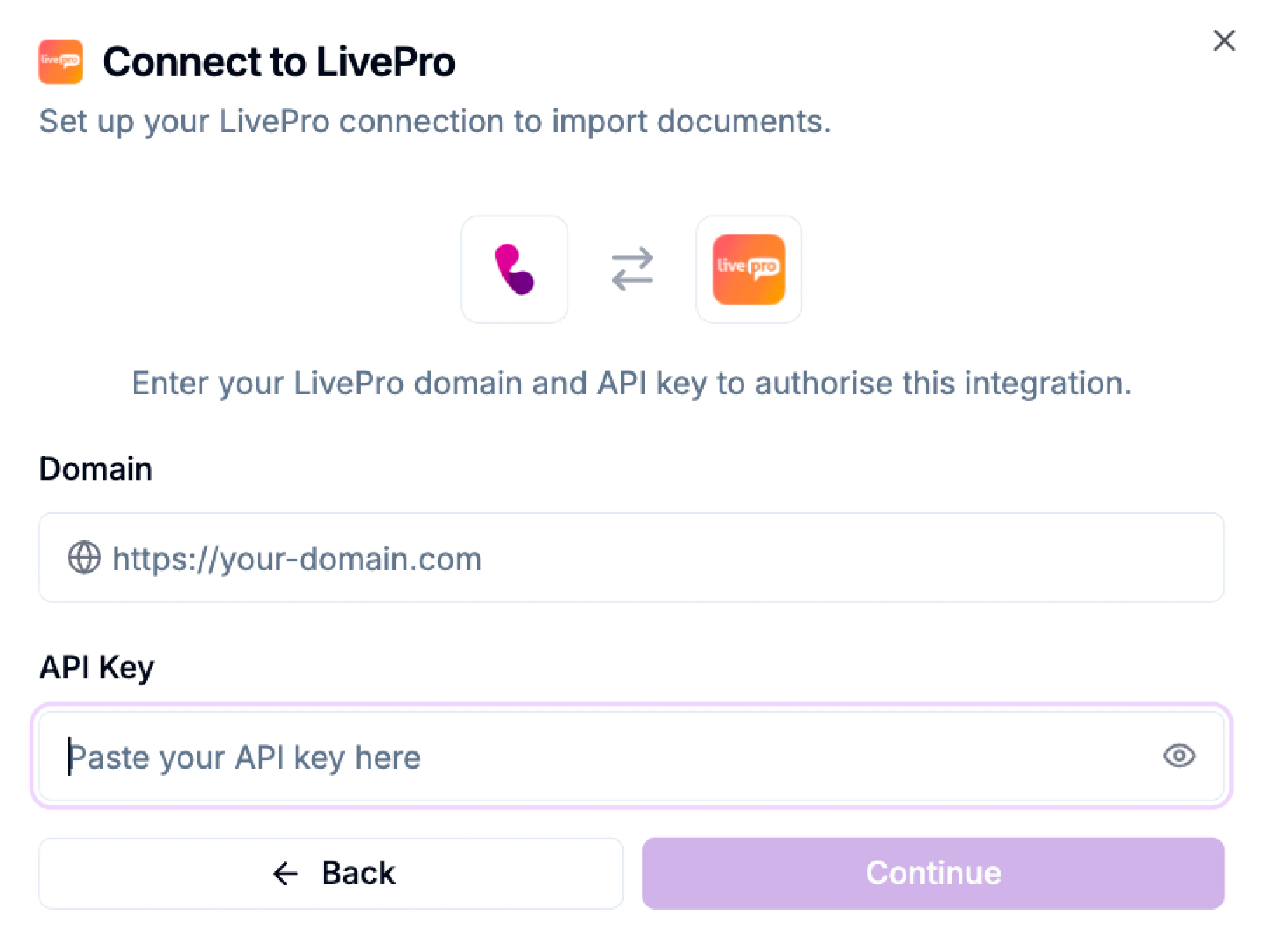
You’ll be prompted to enter the following details:
* Domain: Your LivePro workspace domain (e.g., `https://your-domain.com`).
* API Key: Your LivePro API key to authorize the integration.
Here, you’ll see all your data sources, including uploaded and created documents.
A modal will appear displaying available integration options - for now, Phonely supports importing from LivePro.
You’ll be prompted to enter the following details:
* Domain: Your LivePro workspace domain (e.g., `https://your-domain.com`).
* API Key: Your LivePro API key to authorize the integration.
 ## Import Your Documents
After connecting successfully, Phonely will retrieve your LivePro documents.\
You can then select which files to import into your data sources list.
Your imported documents will appear alongside your existing ones, ready for your AI agent to use in answering questions.
## Import Your Documents
After connecting successfully, Phonely will retrieve your LivePro documents.\
You can then select which files to import into your data sources list.
Your imported documents will appear alongside your existing ones, ready for your AI agent to use in answering questions.