> ## Documentation Index
> Fetch the complete documentation index at: https://docs.phonely.ai/llms.txt
> Use this file to discover all available pages before exploring further.
# Voice & Personality Settings
> Learn how to configure personality for your voice agent, add office noise and humanize conversations
The voice & personality tab allows you to customize how your AI agent sounds and behaves during a conversation. These settings help create a more natural, brand-aligned voice experience, whether you want your agent to sound professional, friendly, or casual.
You can control:
* The background environment (office ambiance).
* The agent’s tone and communication style.
* Whether to include human-like speech fillers.
* How your agent pronounces words through a Phonetic Dictionary.
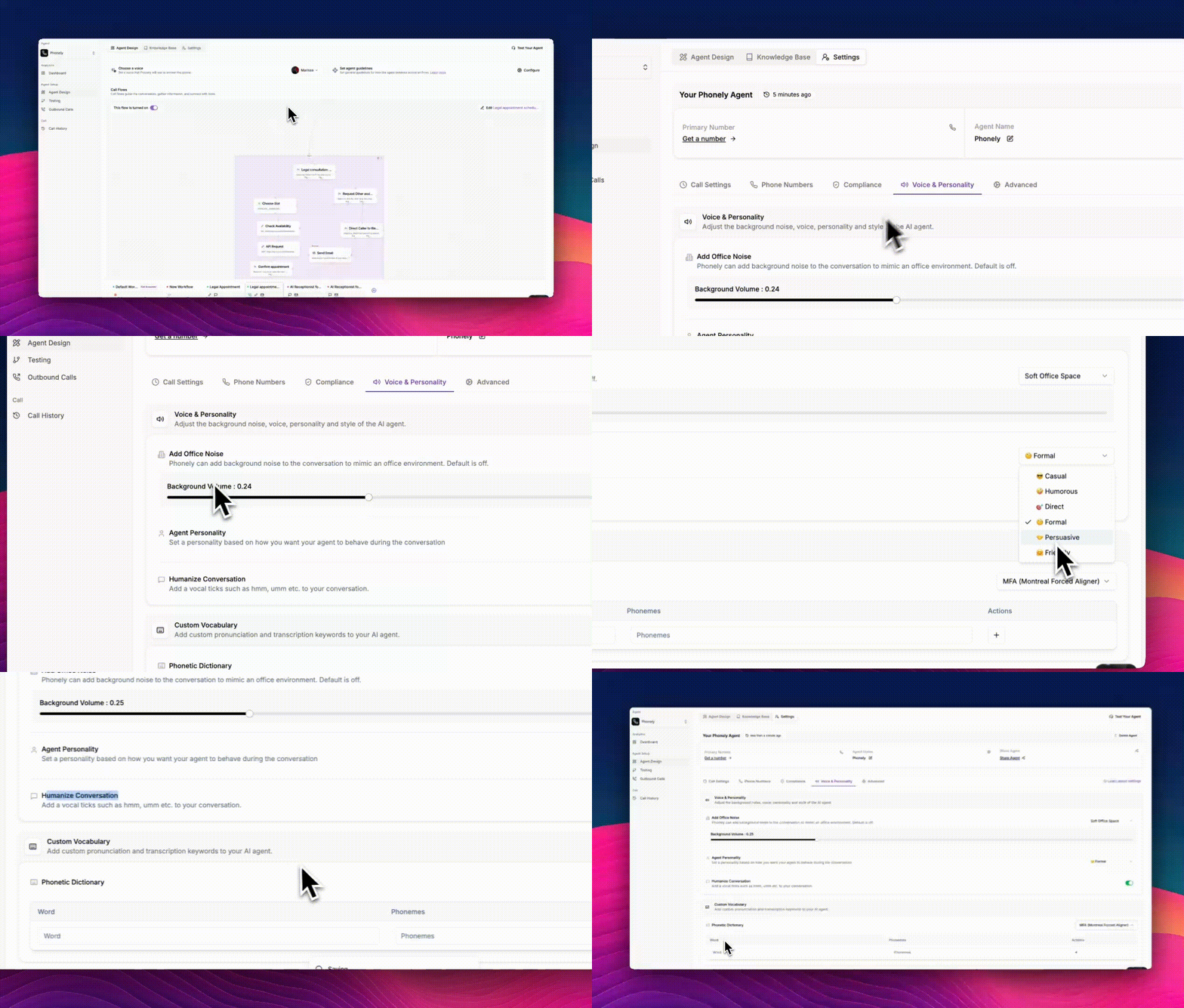 ## Add Office Noise
This feature adds light background sound to mimic a real-world environment, making your agent’s voice sound more authentic and less “studio-perfect.” It’s useful when you want your conversations to feel natural and comfortable for the caller.
* **None (default):** No background noise; your agent’s voice is clean and clear.\
Best for formal or quiet interactions such as customer support or technical assistance.
* **Office Space:** Adds a realistic office background sound (e.g., subtle typing or chatter).\
Ideal for professional or corporate support environments.
* **Soft Office Space:** Adds a gentler ambient noise for a natural but calm tone. Best for relaxed or friendly interactions like onboarding or sales calls.
## Add Office Noise
This feature adds light background sound to mimic a real-world environment, making your agent’s voice sound more authentic and less “studio-perfect.” It’s useful when you want your conversations to feel natural and comfortable for the caller.
* **None (default):** No background noise; your agent’s voice is clean and clear.\
Best for formal or quiet interactions such as customer support or technical assistance.
* **Office Space:** Adds a realistic office background sound (e.g., subtle typing or chatter).\
Ideal for professional or corporate support environments.
* **Soft Office Space:** Adds a gentler ambient noise for a natural but calm tone. Best for relaxed or friendly interactions like onboarding or sales calls.
 ## Agent Personality
This setting defines your agent’s communication tone and behavioral style during conversations.\
It affects how the agent phrases responses, handles small talk, and interacts with the caller.
## Agent Personality
This setting defines your agent’s communication tone and behavioral style during conversations.\
It affects how the agent phrases responses, handles small talk, and interacts with the caller.
 ### Available Personalities
You can choose from several tone presets:
| **Personality** | **Description** | **Best For** |
| :-------------- | :------------------------------------------------------------- | :---------------------------------------------------------- |
| **Casual** | Friendly, relaxed, and conversational. | Informal support, onboarding, or friendly brand tone. |
| **Humorous** | Adds light humor and playfulness to responses. | Marketing, entertainment, or brand awareness calls. |
| **Direct** | Straightforward and efficient, focuses on clarity. | Technical support, B2B or productivity-driven calls. |
| **Formal** | Polite, structured, and business-like tone. | Corporate clients, enterprise-level or compliance contexts. |
| **Persuasive** | Encouraging and goal-oriented communication. | Sales calls, conversions, or lead follow-ups. |
| **Friendly** | Warm and empathetic, suitable for relationship-focused brands. | Customer care, service recovery, or hospitality brands. |
You can experiment with different tones for different call workflows (e.g., “Formal” for support, “Friendly” for sales follow-ups).
## Humanize Conversation
Enable this option to add subtle vocal elements, such as *“hmm,” “uh,” “let’s see,”* to make your agent sound more human-like and less robotic. It mimics natural pauses and filler words found in real speech.
Recommended for casual, friendly, or customer engagement calls. Avoid using it for formal or compliance-related conversations.
### Available Personalities
You can choose from several tone presets:
| **Personality** | **Description** | **Best For** |
| :-------------- | :------------------------------------------------------------- | :---------------------------------------------------------- |
| **Casual** | Friendly, relaxed, and conversational. | Informal support, onboarding, or friendly brand tone. |
| **Humorous** | Adds light humor and playfulness to responses. | Marketing, entertainment, or brand awareness calls. |
| **Direct** | Straightforward and efficient, focuses on clarity. | Technical support, B2B or productivity-driven calls. |
| **Formal** | Polite, structured, and business-like tone. | Corporate clients, enterprise-level or compliance contexts. |
| **Persuasive** | Encouraging and goal-oriented communication. | Sales calls, conversions, or lead follow-ups. |
| **Friendly** | Warm and empathetic, suitable for relationship-focused brands. | Customer care, service recovery, or hospitality brands. |
You can experiment with different tones for different call workflows (e.g., “Formal” for support, “Friendly” for sales follow-ups).
## Humanize Conversation
Enable this option to add subtle vocal elements, such as *“hmm,” “uh,” “let’s see,”* to make your agent sound more human-like and less robotic. It mimics natural pauses and filler words found in real speech.
Recommended for casual, friendly, or customer engagement calls. Avoid using it for formal or compliance-related conversations.
 ## Phonetic Dictionary
The Phonetic Dictionary lets you control exactly how your agent pronounces specific words. This is useful for:
* Brand names (e.g., “Phonely”)
* Acronyms (e.g., “HIPAA”, “API”)
* Foreign names or domain-specific terms
Phonely uses **IPA (International Phonetic Alphabet)** notation. Under the hood, pronunciations are passed to the voice engine as IPA phonemes formatted with pipe-separated symbols in double angle brackets (e.g., `<<ˈ|dʒ|ə|m|ˈ|b|ə|ˈ|l|aɪ|ˈ|ə>>` for jambalaya).
### How to Add an Entry
## Phonetic Dictionary
The Phonetic Dictionary lets you control exactly how your agent pronounces specific words. This is useful for:
* Brand names (e.g., “Phonely”)
* Acronyms (e.g., “HIPAA”, “API”)
* Foreign names or domain-specific terms
Phonely uses **IPA (International Phonetic Alphabet)** notation. Under the hood, pronunciations are passed to the voice engine as IPA phonemes formatted with pipe-separated symbols in double angle brackets (e.g., `<<ˈ|dʒ|ə|m|ˈ|b|ə|ˈ|l|aɪ|ˈ|ə>>` for jambalaya).
### How to Add an Entry
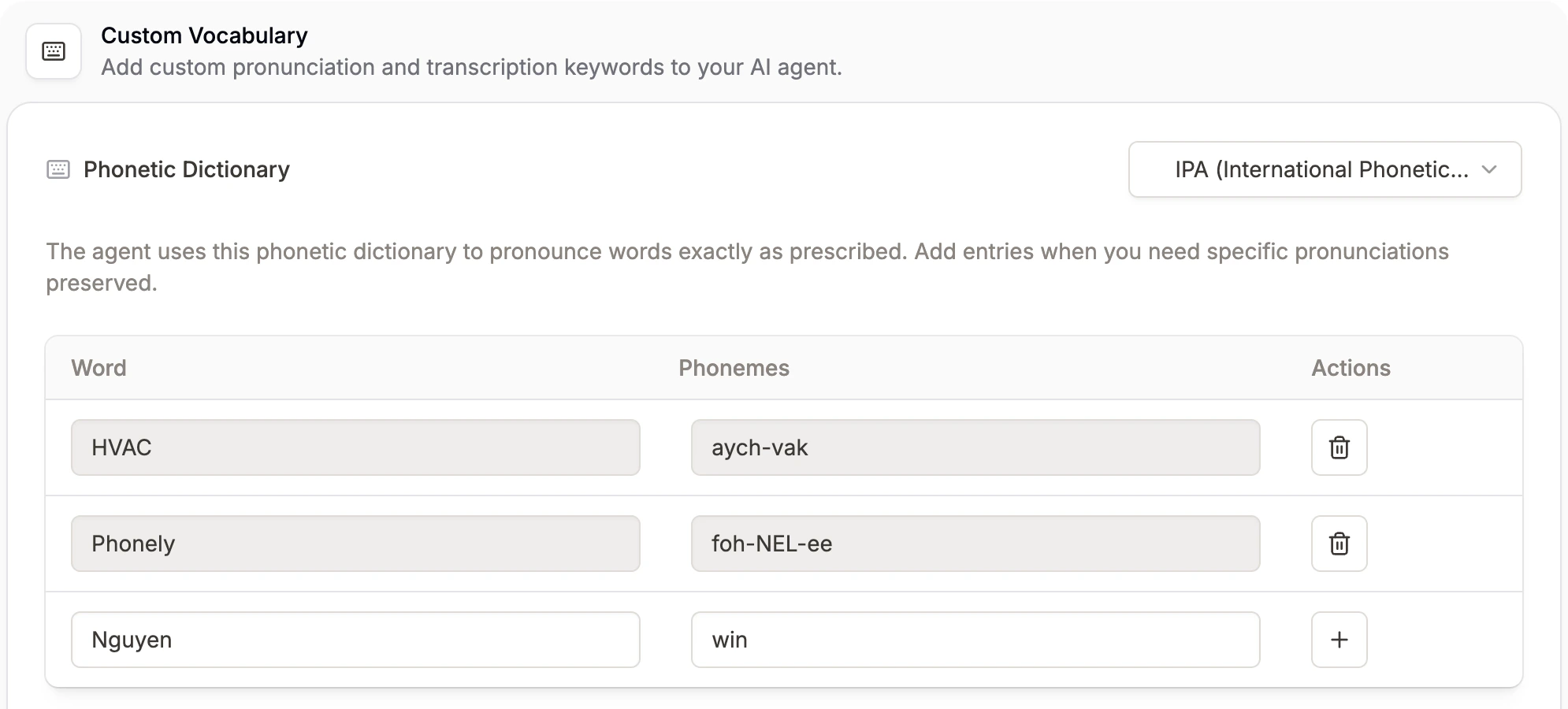 ### Writing IPA Phonemes
IPA phonemes represent individual sounds. For example, the word “Phonely” can be represented as `<<ˈ|f|oʊ|n|l|i>>`.
Use this feature to maintain consistent pronunciation for your brand and technical terms.
### Writing IPA Phonemes
IPA phonemes represent individual sounds. For example, the word “Phonely” can be represented as `<<ˈ|f|oʊ|n|l|i>>`.
Use this feature to maintain consistent pronunciation for your brand and technical terms.