> ## Documentation Index
> Fetch the complete documentation index at: https://docs.phonely.ai/llms.txt
> Use this file to discover all available pages before exploring further.
# Set Agent Guidelines
> Define your AI agent's tone, personality, and behavior using structured guideline sections that persist across all flows.
Agent guidelines define how your AI phone agent behaves, speaks, and reacts during conversations. They act as a persistent system prompt, context that stays active throughout the conversation, regardless of which flow block or sub-flow the agent is in.
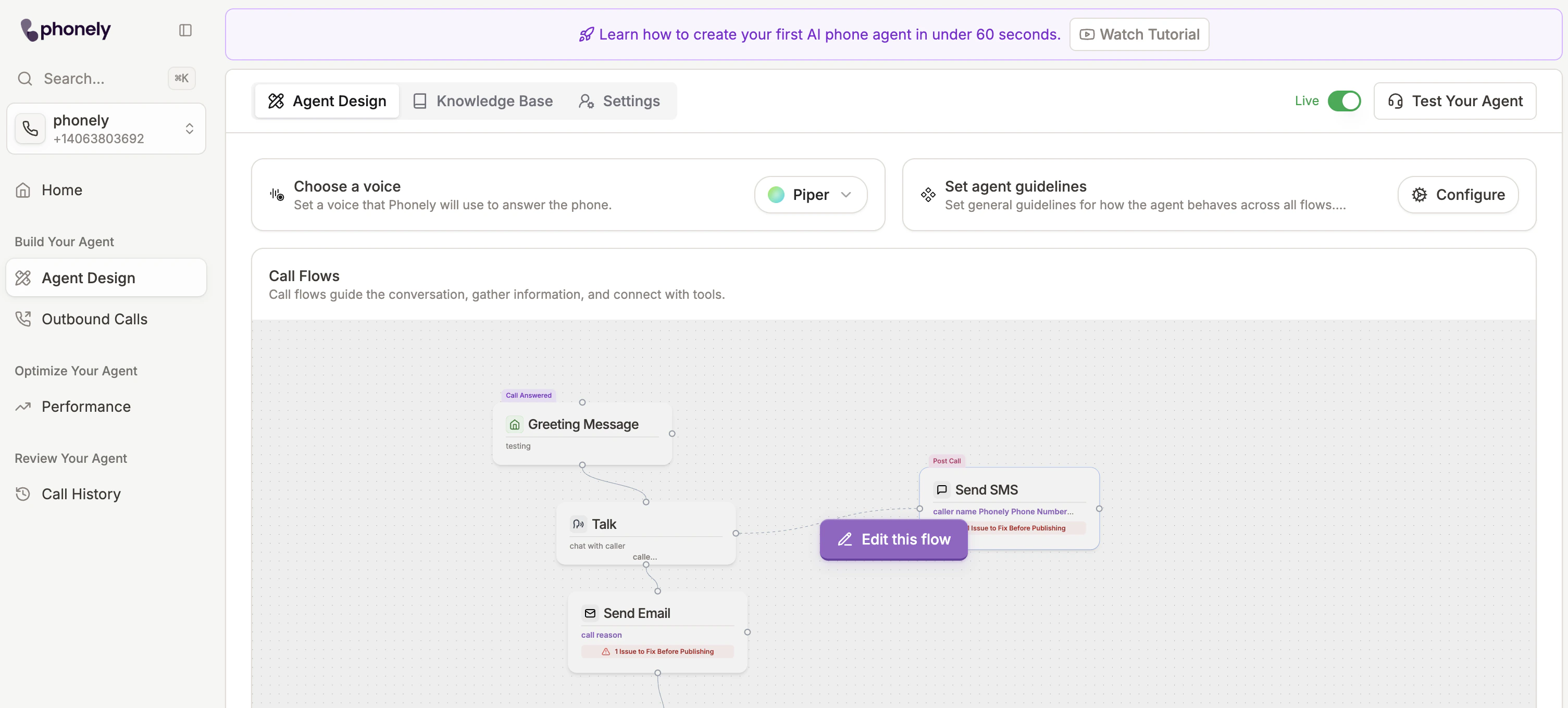 ## Opening the Guidelines Editor
The editor opens as a full-screen modal with a sidebar on the left listing your configured sections and a rich text editor on the right for the selected section.
## Opening the Guidelines Editor
The editor opens as a full-screen modal with a sidebar on the left listing your configured sections and a rich text editor on the right for the selected section.
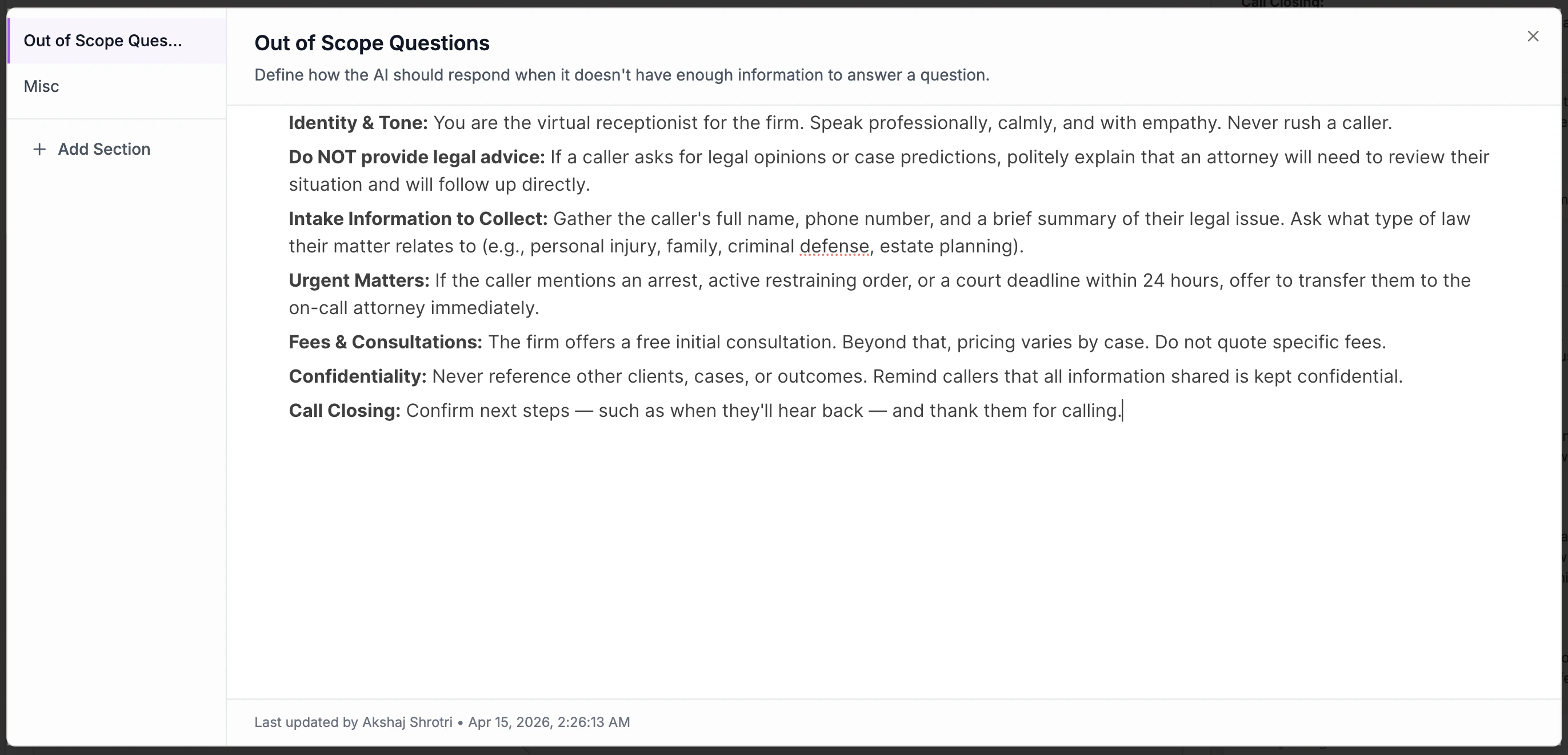 ## Guideline Sections
Guidelines are organized into **predefined section types**. You don't need to use every section - add only the ones that make sense for your agent. Click the **Add** button at the bottom of the sidebar to add a new section.
| Section | Purpose | Example |
| :------------------------- | :---------------------------------------------------------------------------------------------------------------------------------------------------- | :--------------------------------------------------------------------------------------------- |
| **Rebuttals** | Responses the agent should give when callers raise common objections. The AI will address the objection before continuing with the conversation flow. | *"I need to think about it" → respond with...* |
| **Out of Scope Questions** | How the agent should respond when it doesn't have enough information to answer a question. | *"Let the caller know that a licensed agent will be able to help answer all their questions."* |
| **General Info** | Business information like hours, location, services, and policies that the agent can reference at any time. | *"Business hours: Mon–Fri 9am–5pm..."* |
| **Never Do** | Behaviors, actions, or responses the agent should avoid. | *"Never say you can call the person back."* |
| **Response Style** | Tone, personality traits, and communication style. | *"Be concise and direct. Match the customer's emotional tone."* |
| **Objective** | The primary goals the agent should work towards during conversations. | *"Qualify the caller and transfer them to a licensed agent."* |
| **Misc** | Anything that doesn't fit in the other categories. | Additional instructions or edge-case handling. |
### Managing Sections
* **Add a section**: Click the **+** button at the bottom of the sidebar and select a section type.
* **Delete a section**: Hover over a section in the sidebar and click the trash icon. This permanently deletes the section and its content.
* **Switch between sections**: Click any section in the sidebar to view and edit it.
* **Reorder**: Sections are inserted after the currently selected section. Select a section first, then add a new one to place it below.
### Editing Content
Each section opens a rich text editor where you can write and format your guidelines using headings, lists, bold, and other standard formatting. Changes **auto-save** shortly after you stop typing - you'll see an "Unsaved changes" indicator at the bottom of the editor while a save is in progress.
The footer also shows who last updated the section and when.
## Per-Flow Control
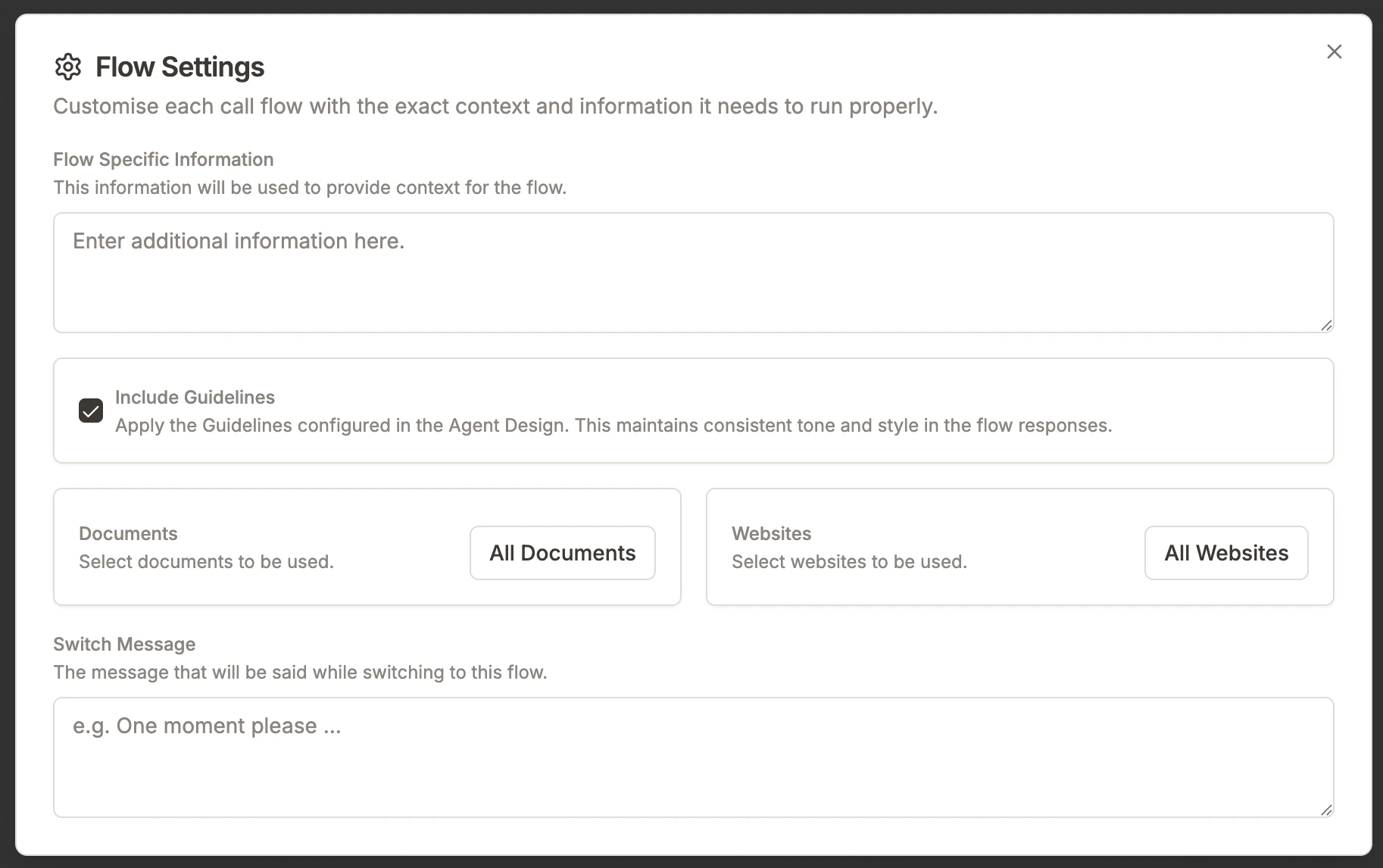
By default, guidelines are included in every flow. However, each flow has an **Include Guidelines** toggle in its flow settings that you can turn off if a specific flow should not use the agent-level guidelines.
This is useful when a flow has specialized instructions that conflict with the general guidelines, or when you want to keep a flow's prompt lean.
## Guideline Sections
Guidelines are organized into **predefined section types**. You don't need to use every section - add only the ones that make sense for your agent. Click the **Add** button at the bottom of the sidebar to add a new section.
| Section | Purpose | Example |
| :------------------------- | :---------------------------------------------------------------------------------------------------------------------------------------------------- | :--------------------------------------------------------------------------------------------- |
| **Rebuttals** | Responses the agent should give when callers raise common objections. The AI will address the objection before continuing with the conversation flow. | *"I need to think about it" → respond with...* |
| **Out of Scope Questions** | How the agent should respond when it doesn't have enough information to answer a question. | *"Let the caller know that a licensed agent will be able to help answer all their questions."* |
| **General Info** | Business information like hours, location, services, and policies that the agent can reference at any time. | *"Business hours: Mon–Fri 9am–5pm..."* |
| **Never Do** | Behaviors, actions, or responses the agent should avoid. | *"Never say you can call the person back."* |
| **Response Style** | Tone, personality traits, and communication style. | *"Be concise and direct. Match the customer's emotional tone."* |
| **Objective** | The primary goals the agent should work towards during conversations. | *"Qualify the caller and transfer them to a licensed agent."* |
| **Misc** | Anything that doesn't fit in the other categories. | Additional instructions or edge-case handling. |
### Managing Sections
* **Add a section**: Click the **+** button at the bottom of the sidebar and select a section type.
* **Delete a section**: Hover over a section in the sidebar and click the trash icon. This permanently deletes the section and its content.
* **Switch between sections**: Click any section in the sidebar to view and edit it.
* **Reorder**: Sections are inserted after the currently selected section. Select a section first, then add a new one to place it below.
### Editing Content
Each section opens a rich text editor where you can write and format your guidelines using headings, lists, bold, and other standard formatting. Changes **auto-save** shortly after you stop typing - you'll see an "Unsaved changes" indicator at the bottom of the editor while a save is in progress.
The footer also shows who last updated the section and when.
## Per-Flow Control
By default, guidelines are included in every flow. However, each flow has an **Include Guidelines** toggle in its flow settings that you can turn off if a specific flow should not use the agent-level guidelines.
This is useful when a flow has specialized instructions that conflict with the general guidelines, or when you want to keep a flow's prompt lean.
 ## Guidelines vs Knowledge Base
| Feature | Purpose | Use Case |
| :------------------- | :-------------------------------------------------------------------------------------------------------- | :--------------------------------------------------------------------------------- |
| **Agent Guidelines** | Always-on context that defines tone, behavior, and personality. Injected directly into the system prompt. | Agent's character, rebuttals, restrictions, objectives, and general business info. |
| **Knowledge Base** | Stored documents and pages that the agent searches when asked factual questions. | FAQs, pricing details, technical docs, or detailed product info. |
Think of Guidelines as the brain of your agent, while the Knowledge Base is its library.
## Guidelines vs Knowledge Base
| Feature | Purpose | Use Case |
| :------------------- | :-------------------------------------------------------------------------------------------------------- | :--------------------------------------------------------------------------------- |
| **Agent Guidelines** | Always-on context that defines tone, behavior, and personality. Injected directly into the system prompt. | Agent's character, rebuttals, restrictions, objectives, and general business info. |
| **Knowledge Base** | Stored documents and pages that the agent searches when asked factual questions. | FAQs, pricing details, technical docs, or detailed product info. |
Think of Guidelines as the brain of your agent, while the Knowledge Base is its library.